Dante control on iPhone and iPad
NetAudio is an unofficial Dante controller for iOS. Discover devices, change audio routes, and configure your Dante network directly from your phone or tablet.
iPad
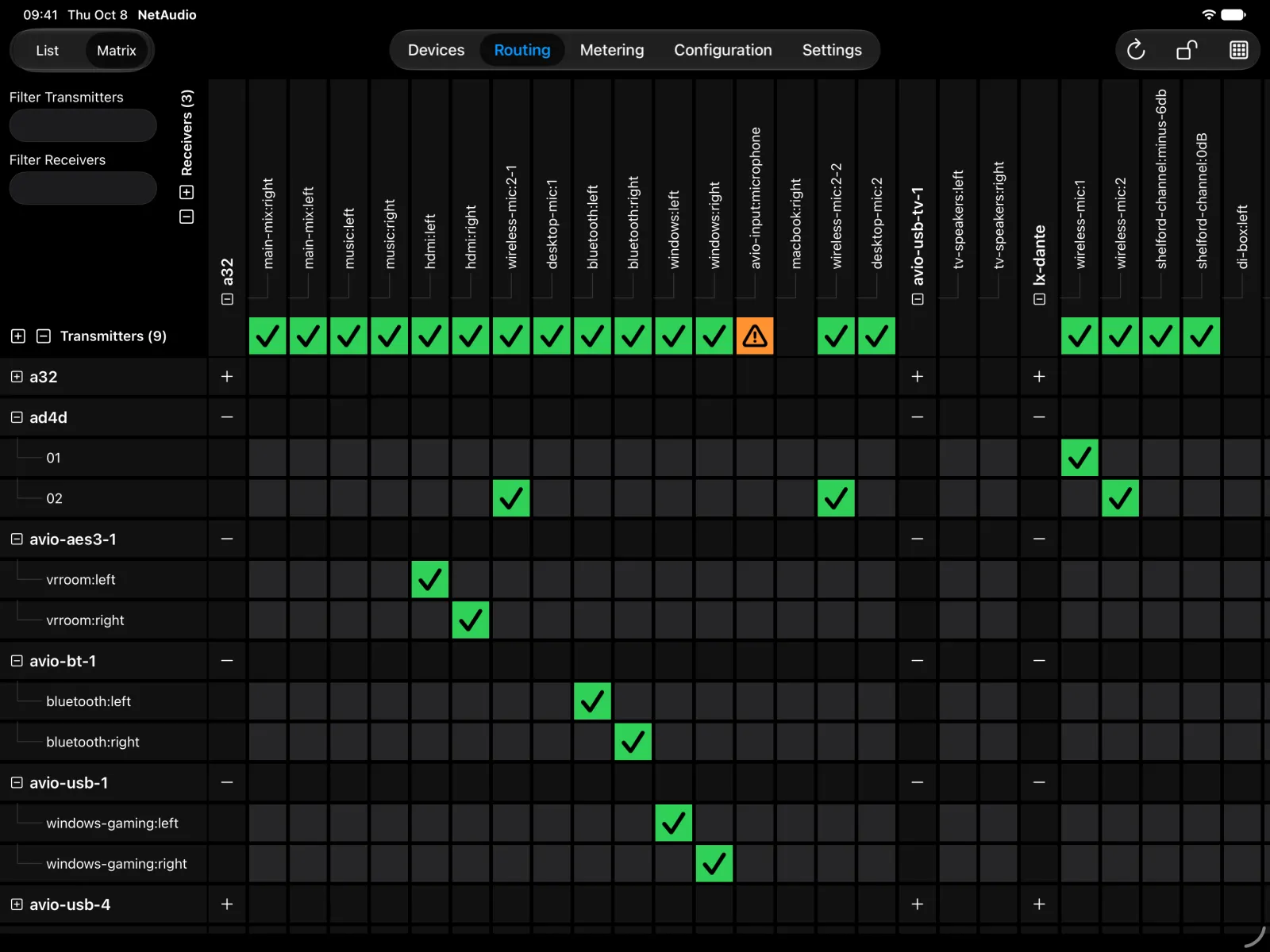
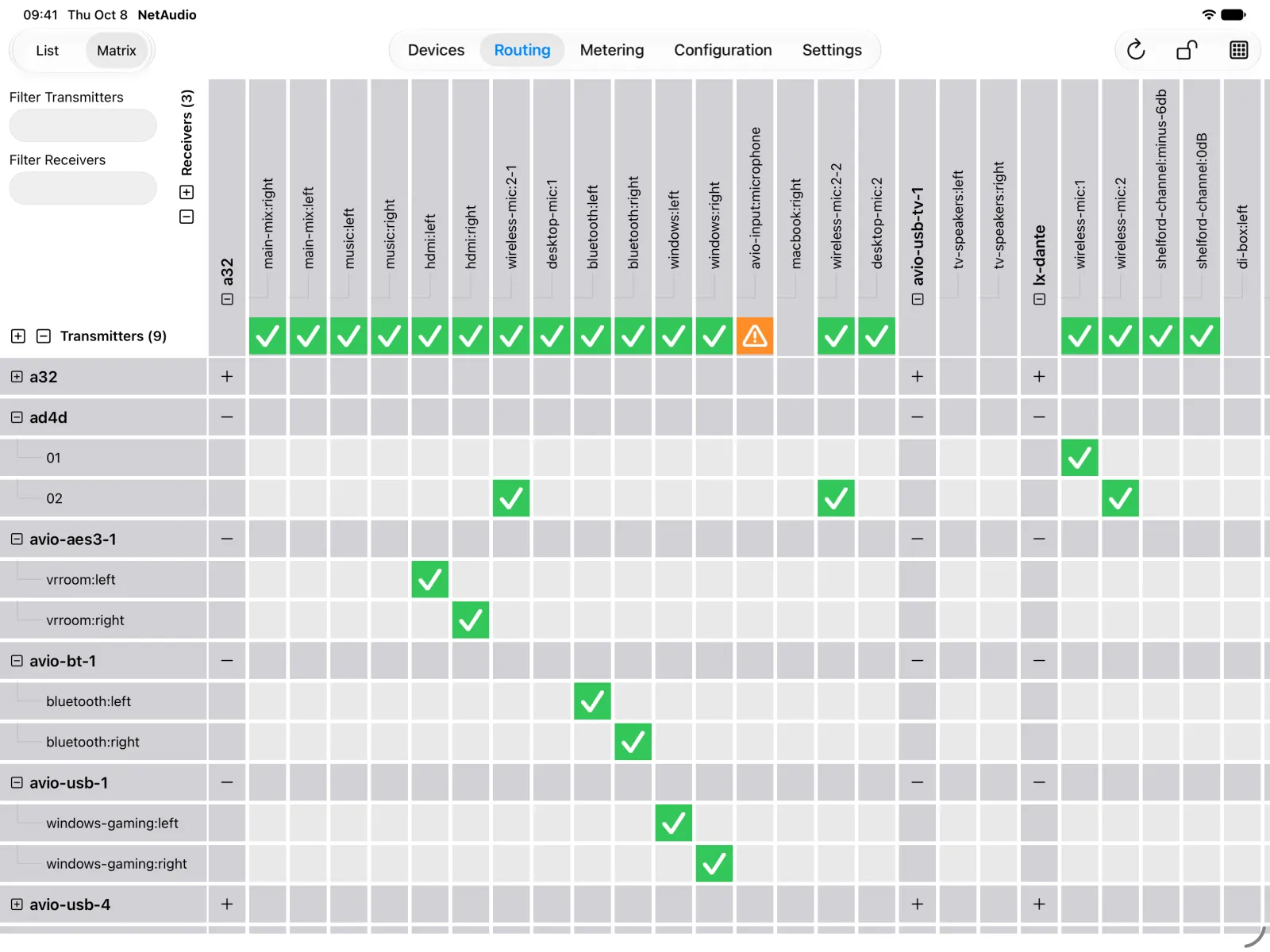
Routing matrix 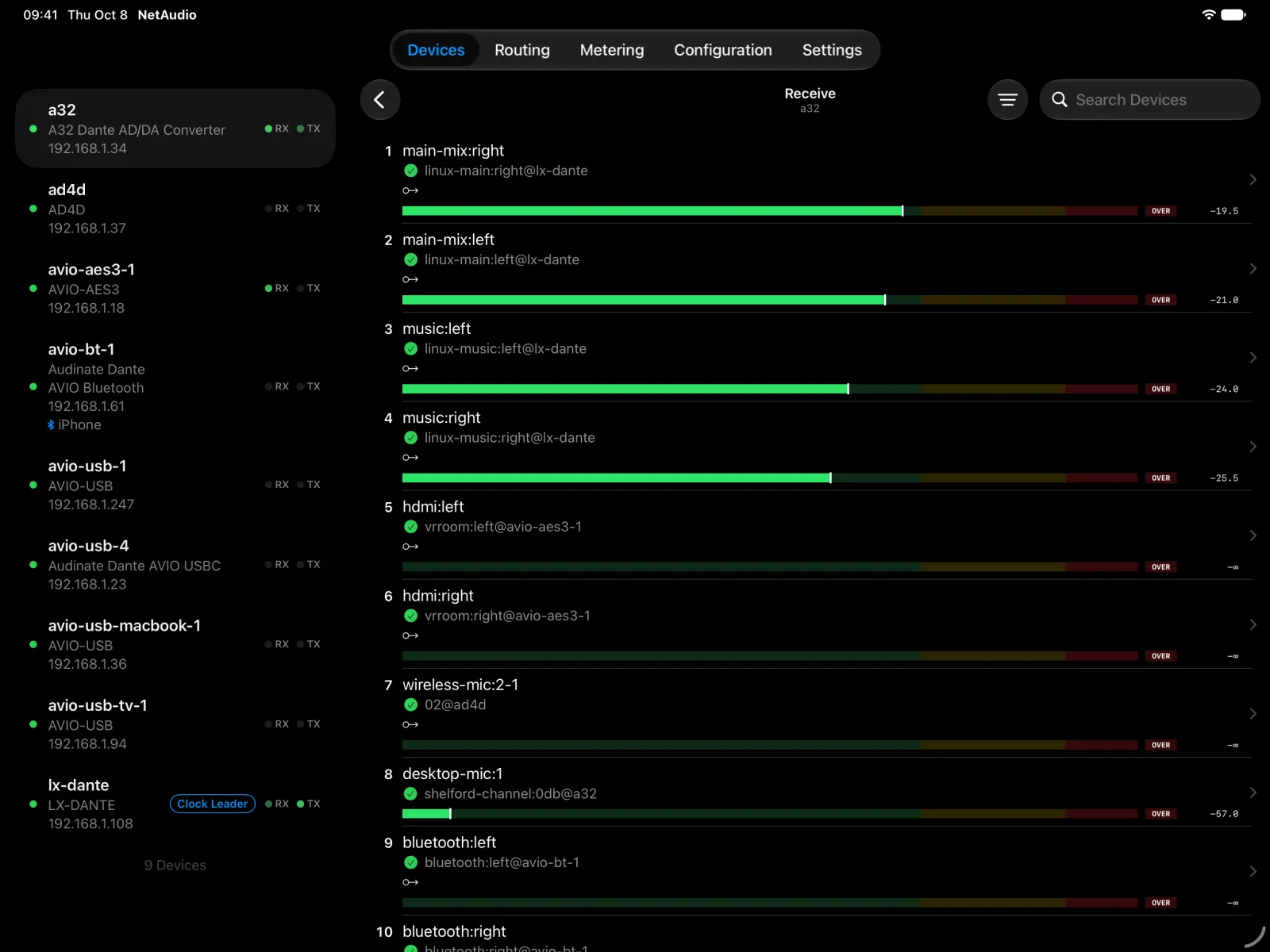
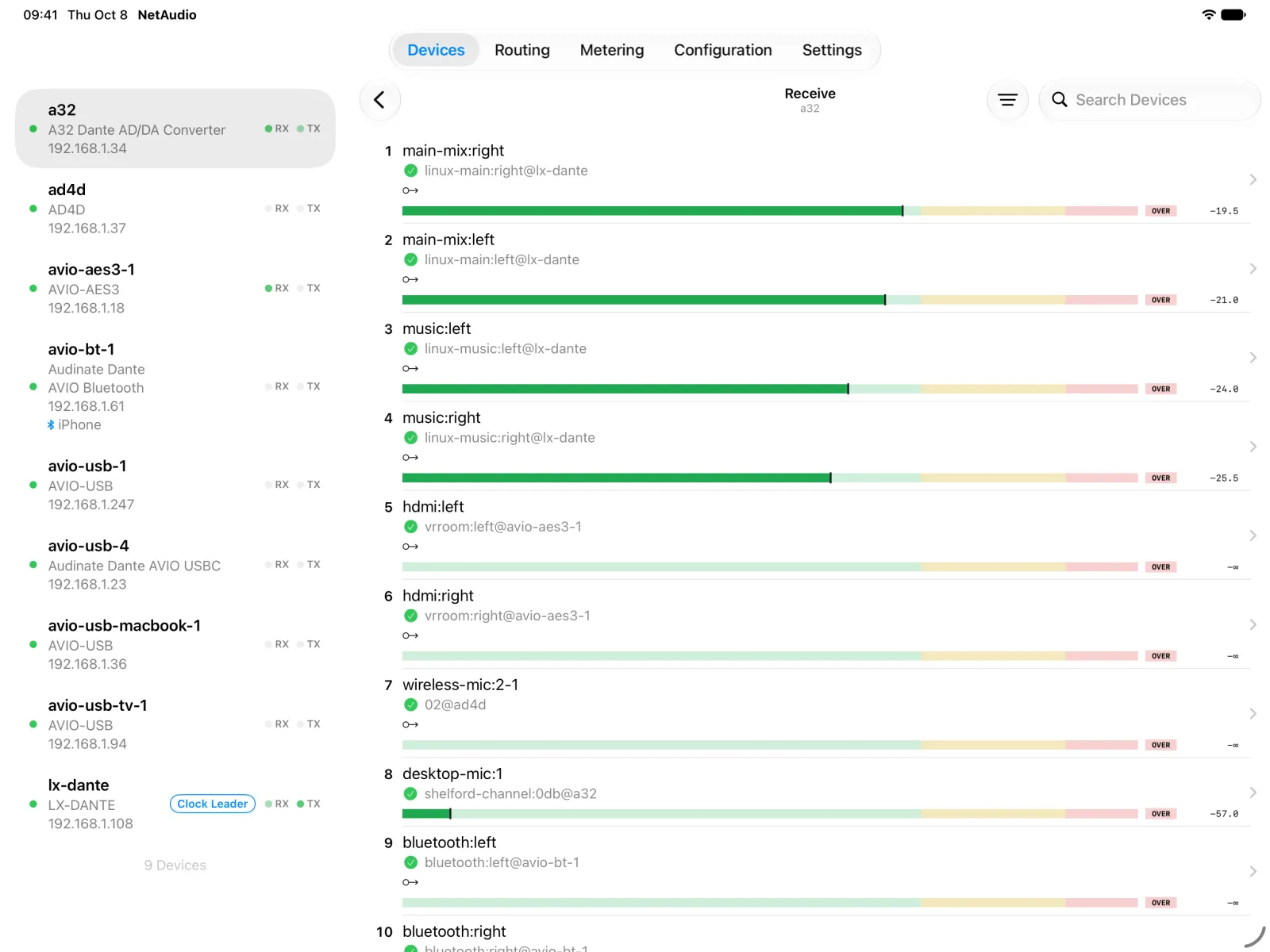
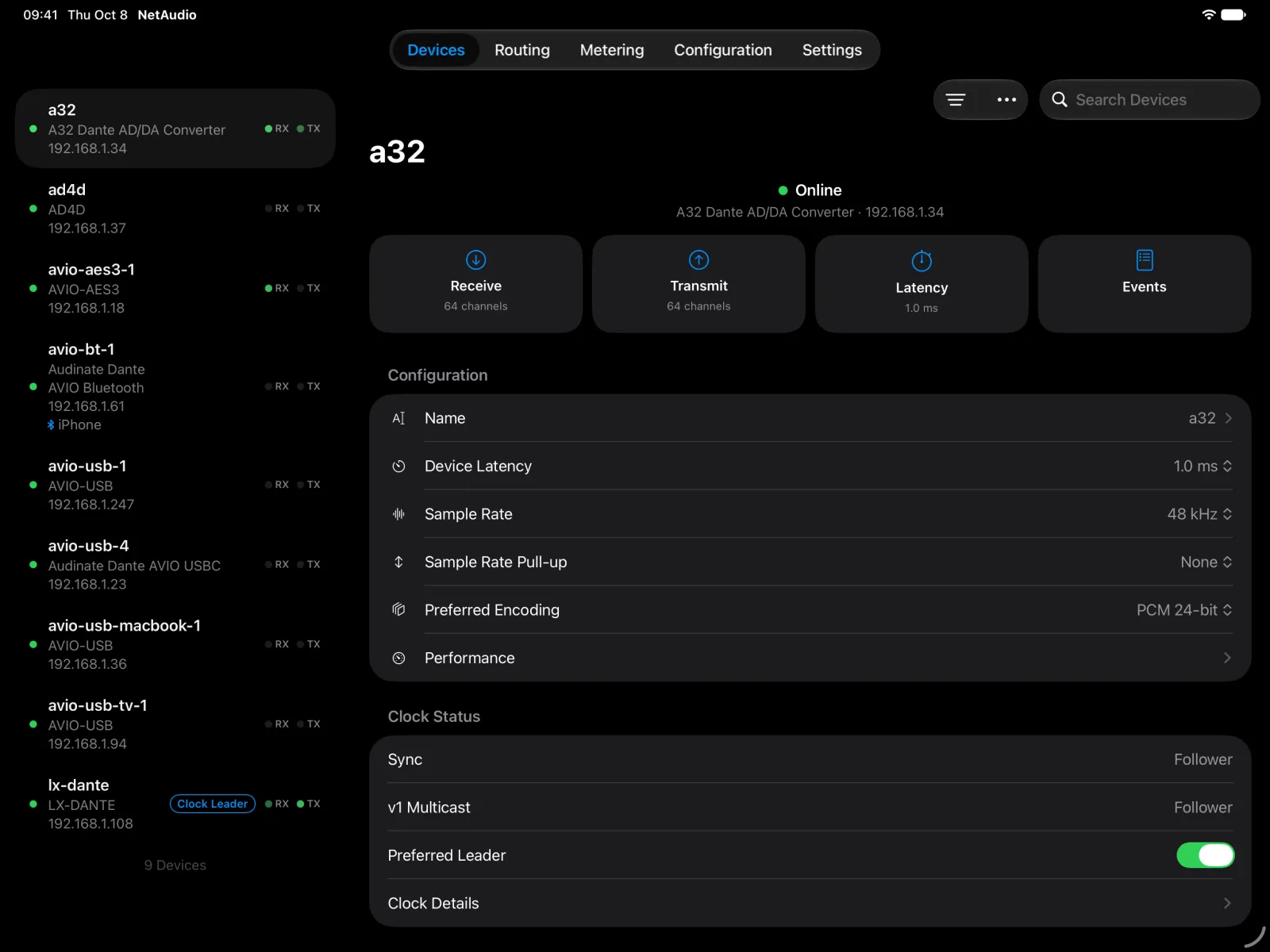
Receive channels ![The A32 device page on iPad with receive, transmit, latency, and events tiles, its configuration, and its clock status.]()
![The A32 device page on iPad with receive, transmit, latency, and events tiles, its configuration, and its clock status.]()
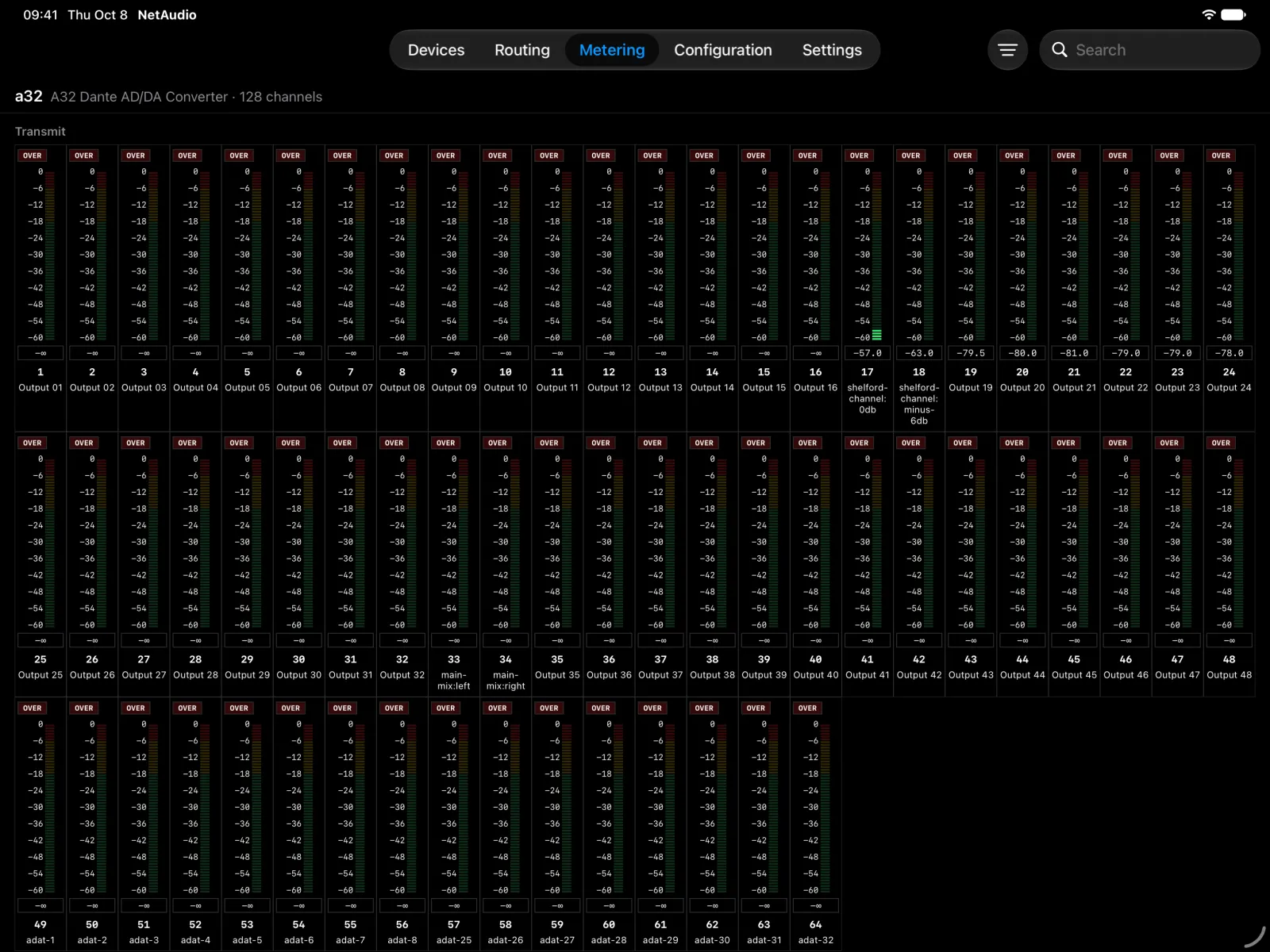
Device settings ![The metering tab on iPad with a level meter for each of the A32’s 64 transmit channels, eight of them carrying signal.]()
![The metering tab on iPad with a level meter for each of the A32’s 64 transmit channels, eight of them carrying signal.]()
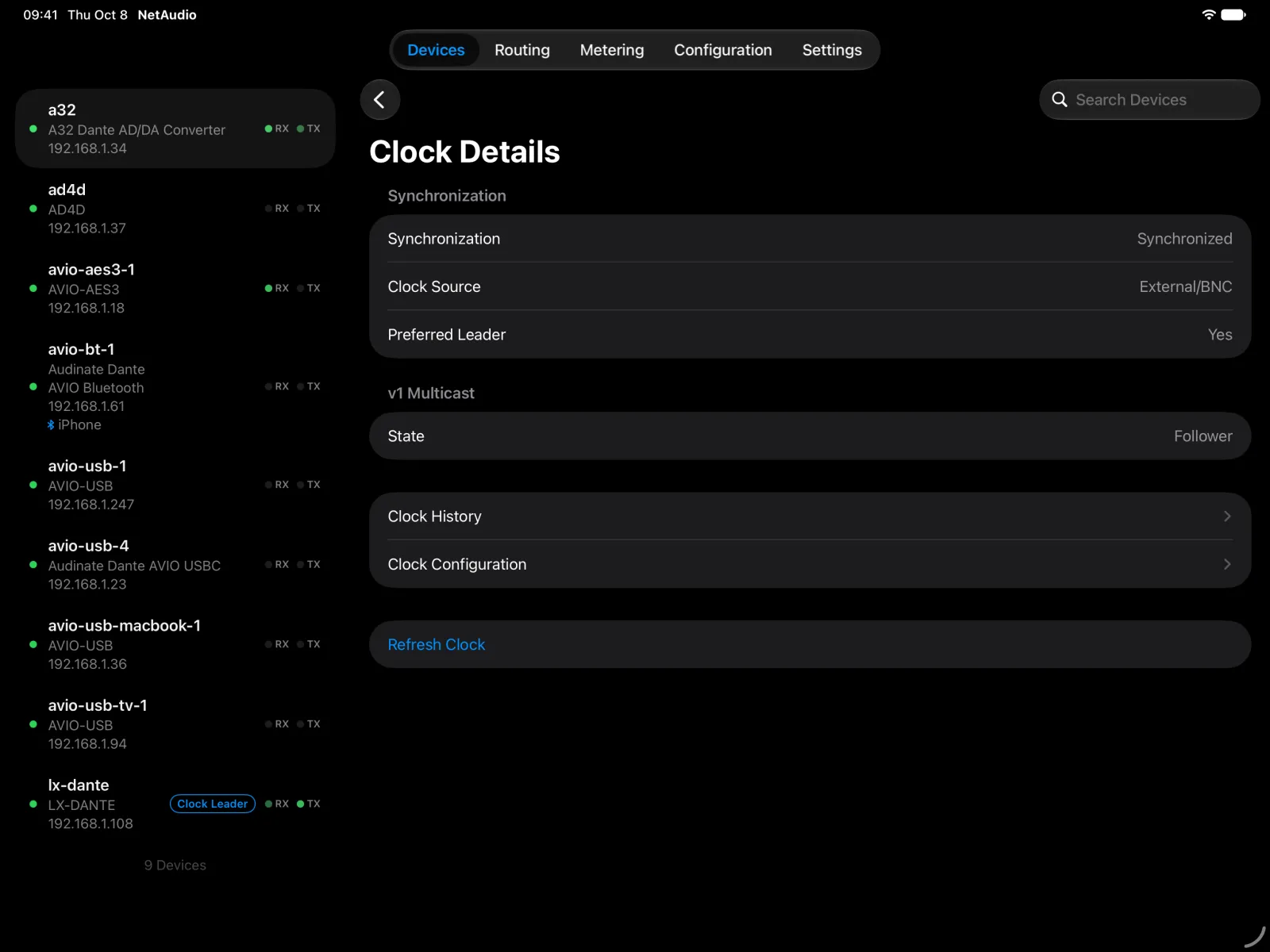
Metering ![Clock details for the A32 on iPad: synchronized, external BNC clock source, preferred leader, and follower state.]()
![Clock details for the A32 on iPad: synchronized, external BNC clock source, preferred leader, and follower state.]()
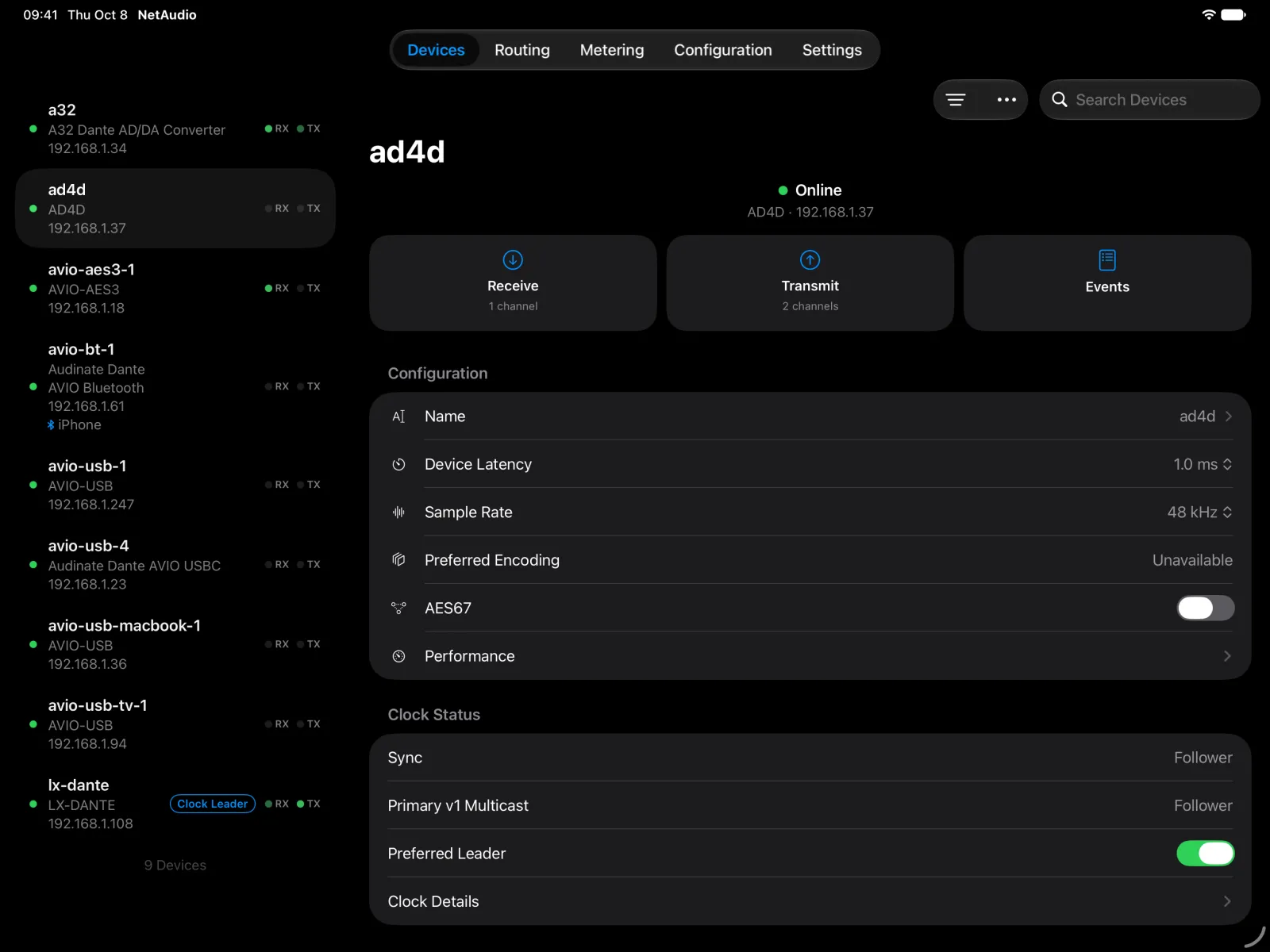
Clock details ![The Shure AD4D device page on iPad beside the device list, with its configuration, AES67 setting, and clock status.]()
![The Shure AD4D device page on iPad beside the device list, with its configuration, AES67 setting, and clock status.]()
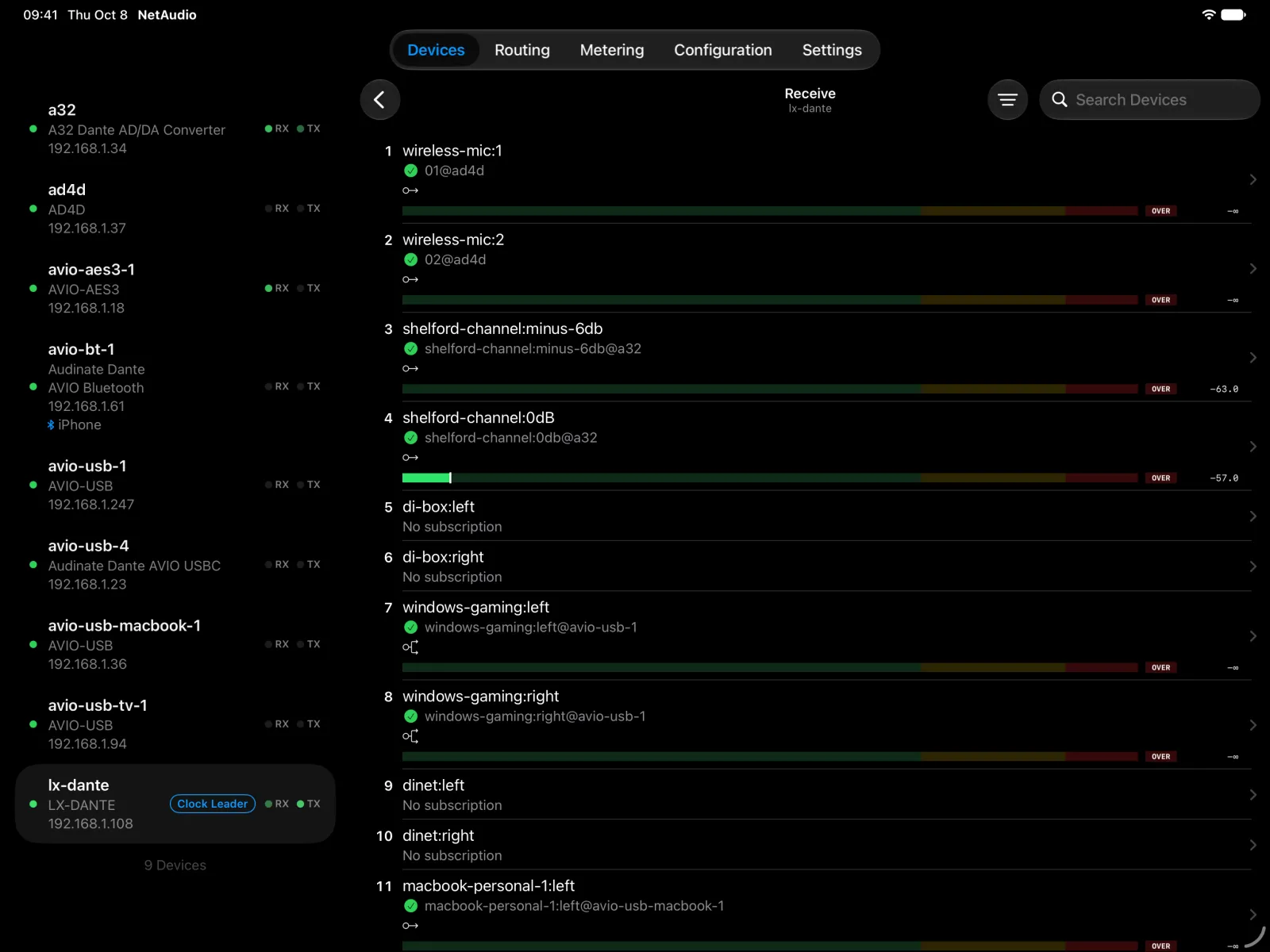
Shure AD4D ![The receive channels of a Digigram LX-Dante card on iPad, with routes from the AD4D, the A32, and AVIO adapters, and live level meters on two channels.]()
![The receive channels of a Digigram LX-Dante card on iPad, with routes from the AD4D, the A32, and AVIO adapters, and live level meters on two channels.]()
Digigram LX-Dante
iPhone
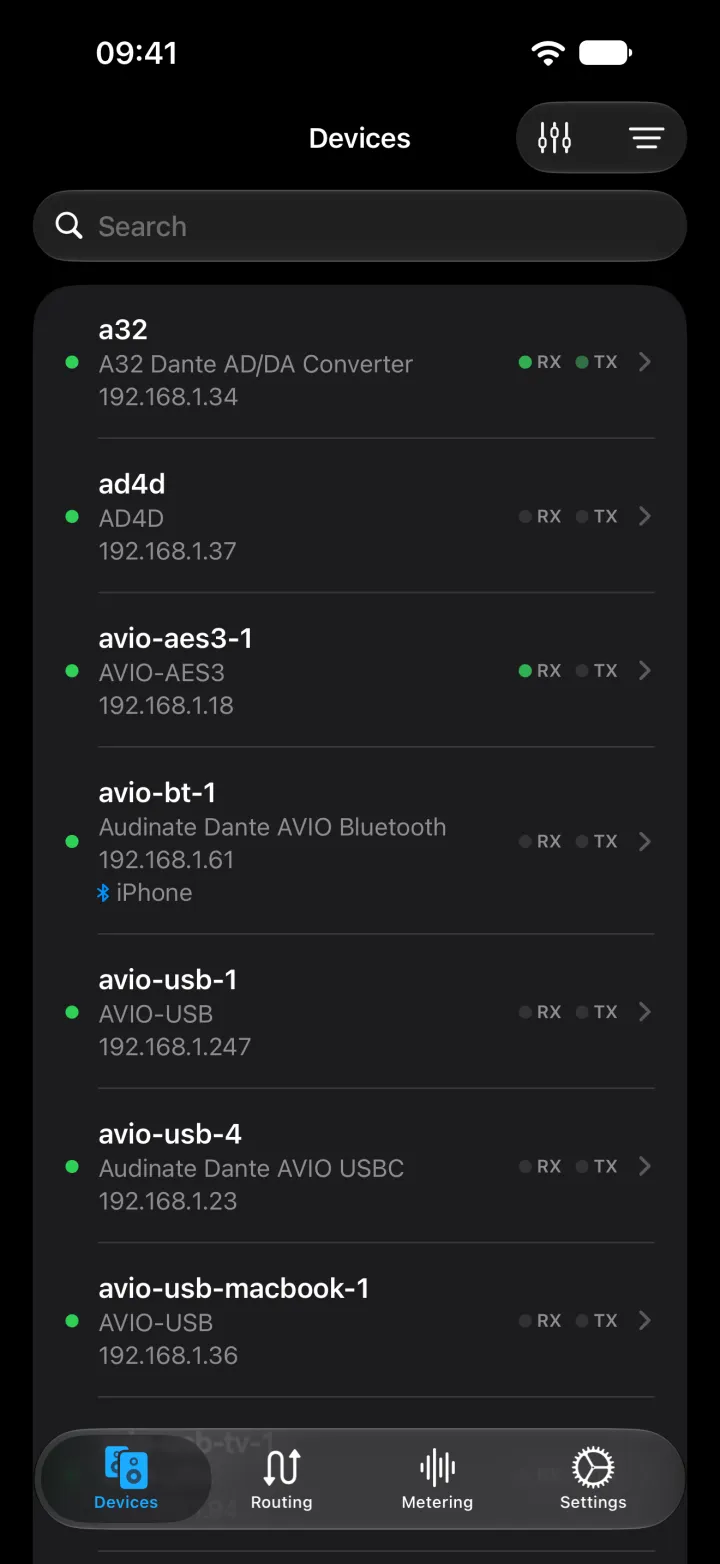
![NetAudio on iPhone listing Dante devices, including a Ferrofish A32 and a Shure AD4D, with each model and address.]()
![NetAudio on iPhone listing Dante devices, including a Ferrofish A32 and a Shure AD4D, with each model and address.]()
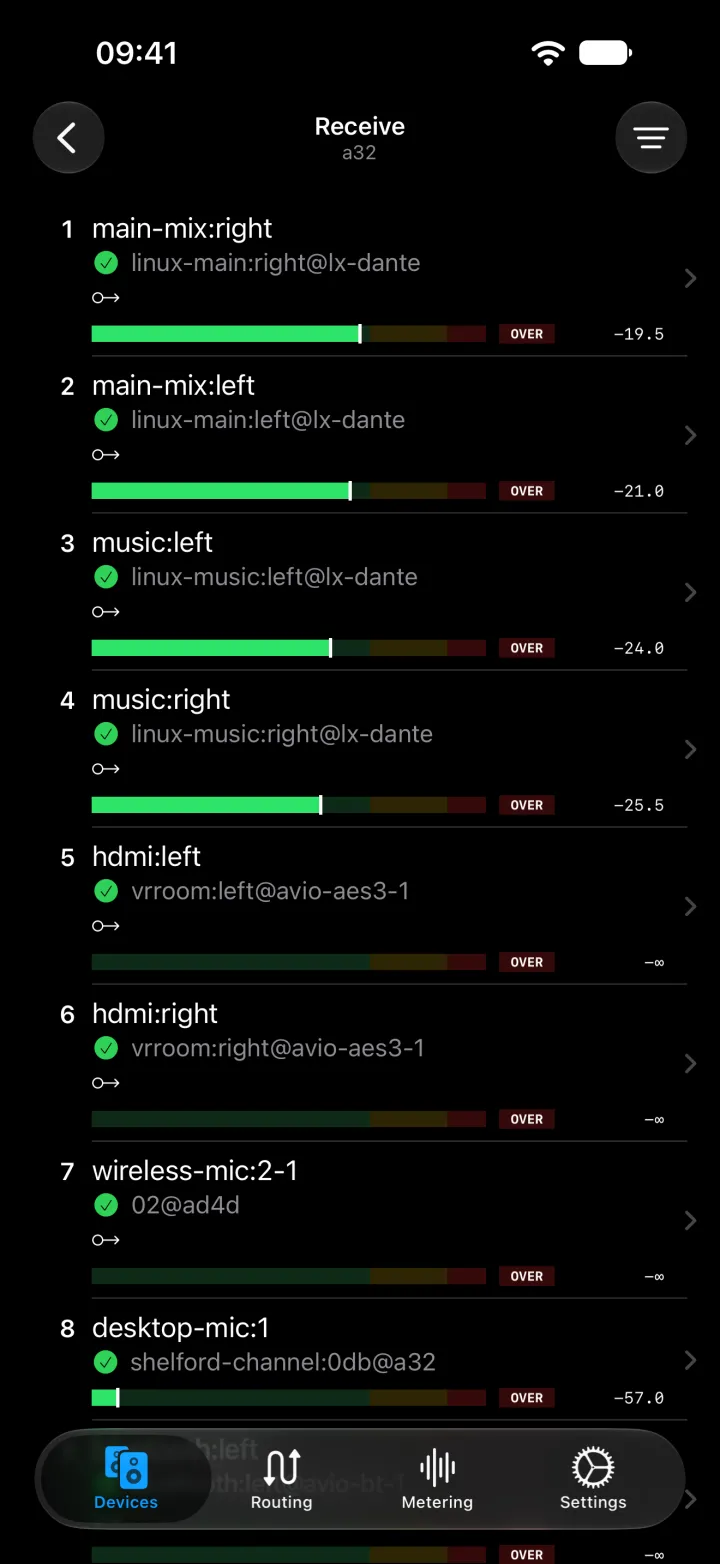
Devices ![The receive channels of a Ferrofish A32 on iPhone, each showing the transmit channel and device it is subscribed to.]()
![The receive channels of a Ferrofish A32 on iPhone, each showing the transmit channel and device it is subscribed to.]()
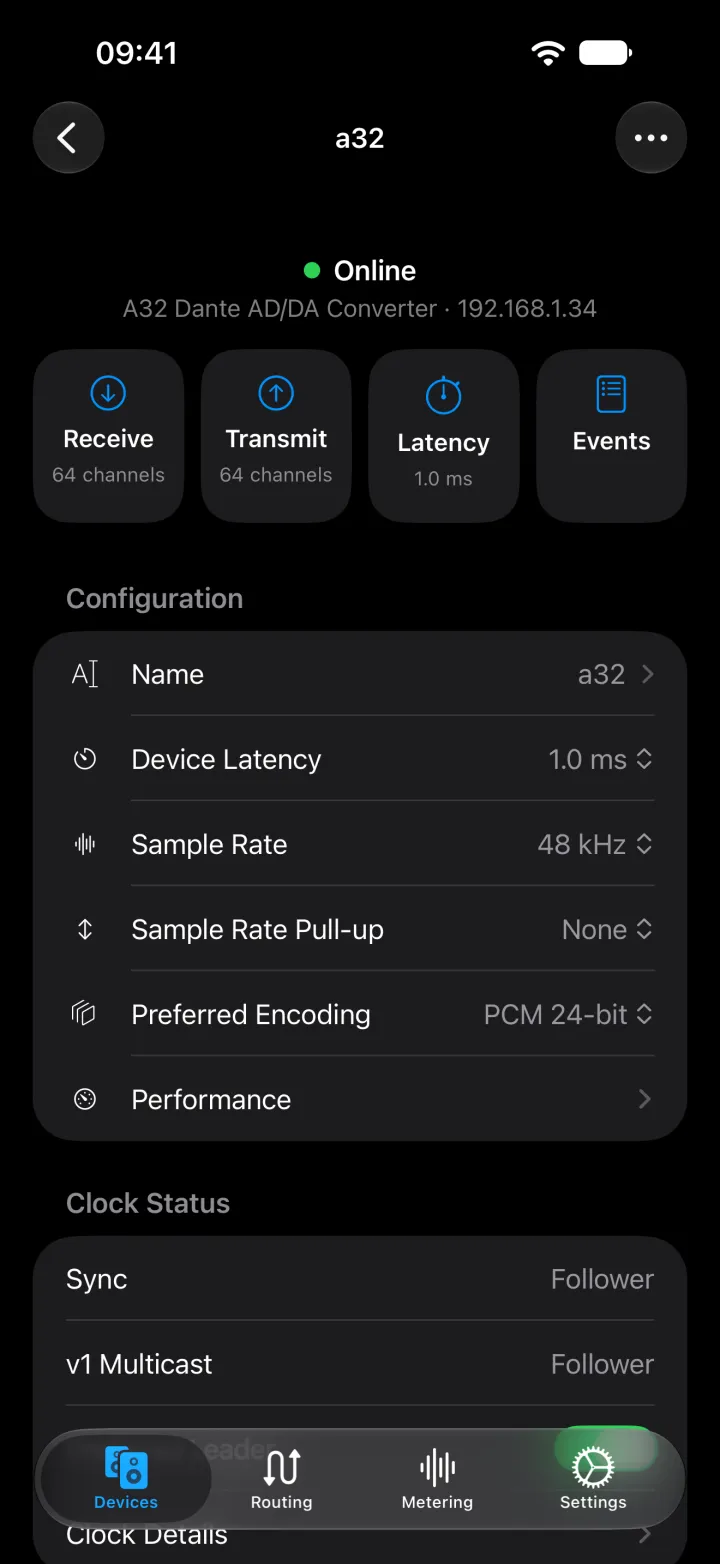
Receive channels ![The A32 device page on iPhone with receive, transmit, latency, and events shortcuts, and its name, latency, sample rate, encoding, and clock status.]()
![The A32 device page on iPhone with receive, transmit, latency, and events shortcuts, and its name, latency, sample rate, encoding, and clock status.]()
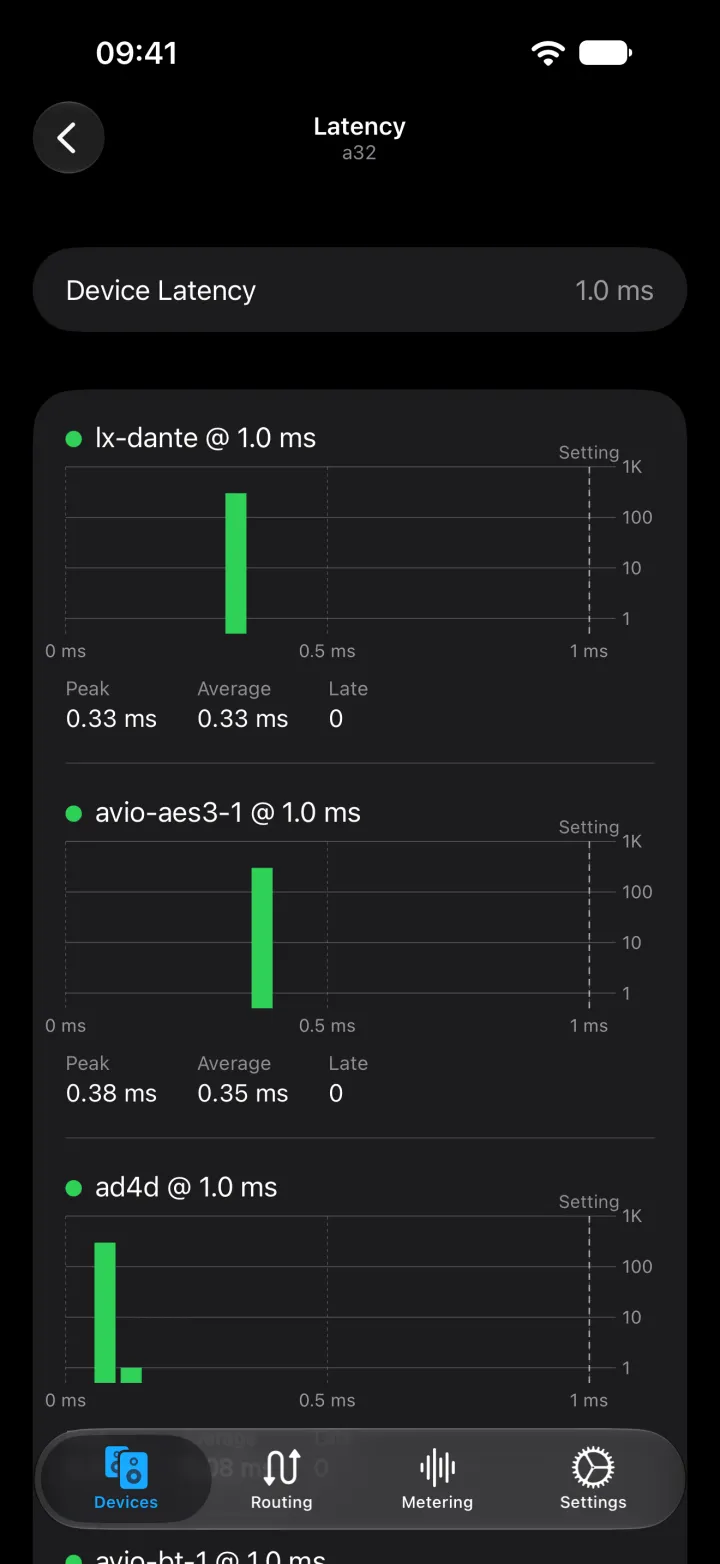
Device settings ![Latency histograms on iPhone for each flow the A32 receives, with peak and average latency and late packet counts.]()
![Latency histograms on iPhone for each flow the A32 receives, with peak and average latency and late packet counts.]()
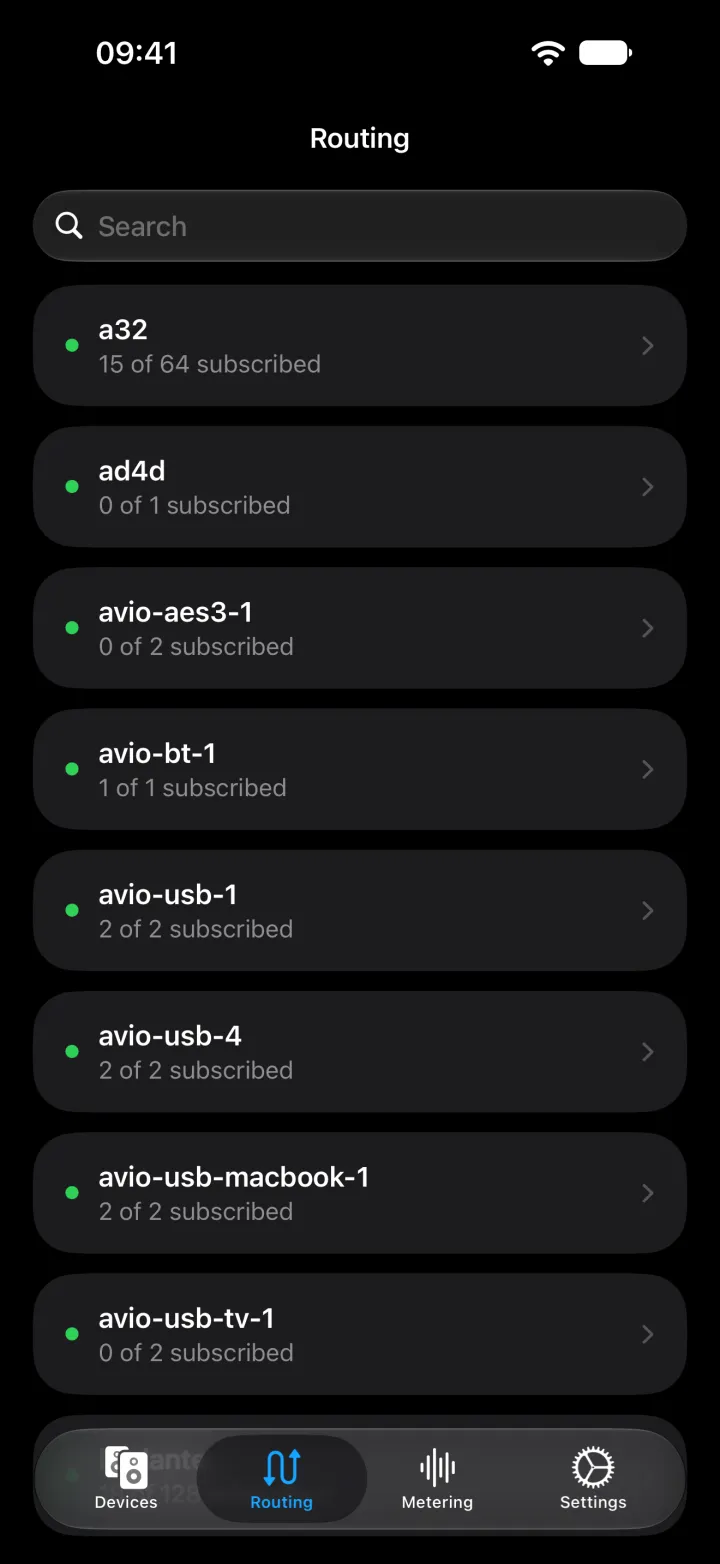
Latency ![Routing on iPhone listing each device with how many of its receive channels are subscribed.]()
![Routing on iPhone listing each device with how many of its receive channels are subscribed.]()
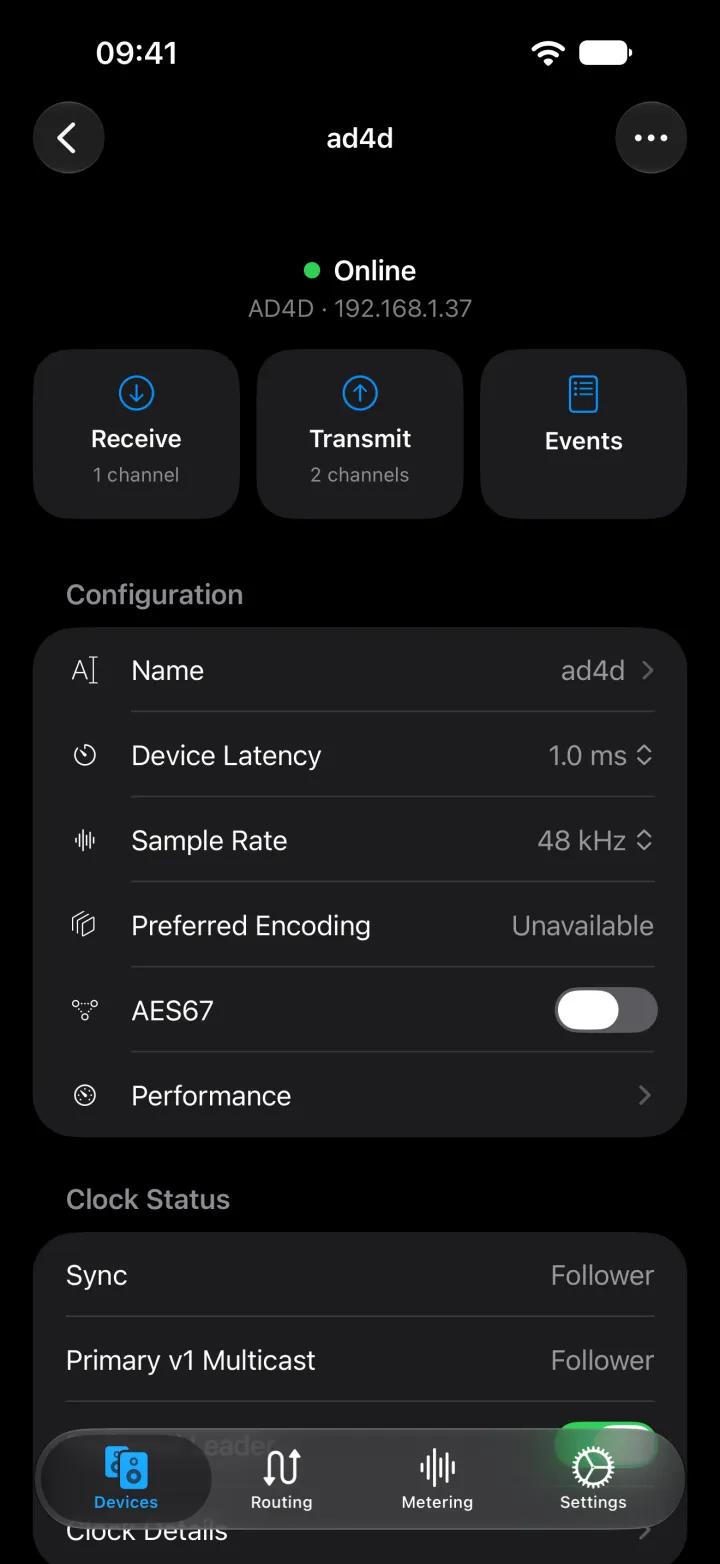
Routing ![The Shure AD4D device page on iPhone with its name, latency, sample rate, encoding, and AES67 settings.]()
![The Shure AD4D device page on iPhone with its name, latency, sample rate, encoding, and AES67 settings.]()
Shure AD4D
Connect directly to your Dante network
The app communicates directly with Dante devices on your local network. A computer running Dante Controller or a separate controller appliance is not required for local control.
- Install the NetAudio beta through Apple’s TestFlight app.
- Connect your iPhone or iPad to Wi-Fi with access to your Dante devices.
- Allow Local Network access when iOS asks, then open the device list.
Your Wi-Fi network must allow communication with the wired Dante network, including multicast discovery. Guest Wi-Fi and client isolation can prevent devices from appearing.
Routing, device settings, and diagnostics
- Inspect devices, transmit and receive channels, and subscription status.
- Create and remove audio routes between Dante devices.
- Rename devices and channels, and change sample rate, latency, and network settings.
- Inspect clock state and device information, and submit device-specific diagnostic reports.
NetAudio controls the devices and their routing. Audio flows between the Dante devices; the phone provides the control interface.
Optional server connections
You can also connect the app to a NetAudio daemon or configure a Dante Domain Manager connection. The open-source CLI, web app, and daemon provide the computer-based side of the project.
iOS beta
The NetAudio iOS app for iPhone and iPad is under active development.
Send feedback from Settings → Support → Feedback & Feature Requests, or visit NetAudio support for help.
NetAudio is unofficial and is not affiliated with or endorsed by Audinate.